
X (TWITTER) CLIP MAKER
Turn an X video into a clip worth posting
Found the moment in a long video on X? Paste the post link into FastClip, choose the cut, and add captions. Publish your finished clip through a connected X account or download the video.
Free plan includes 3 X video imports and 1 direct X post. Works in mobile and desktop browsers. No credit card required.
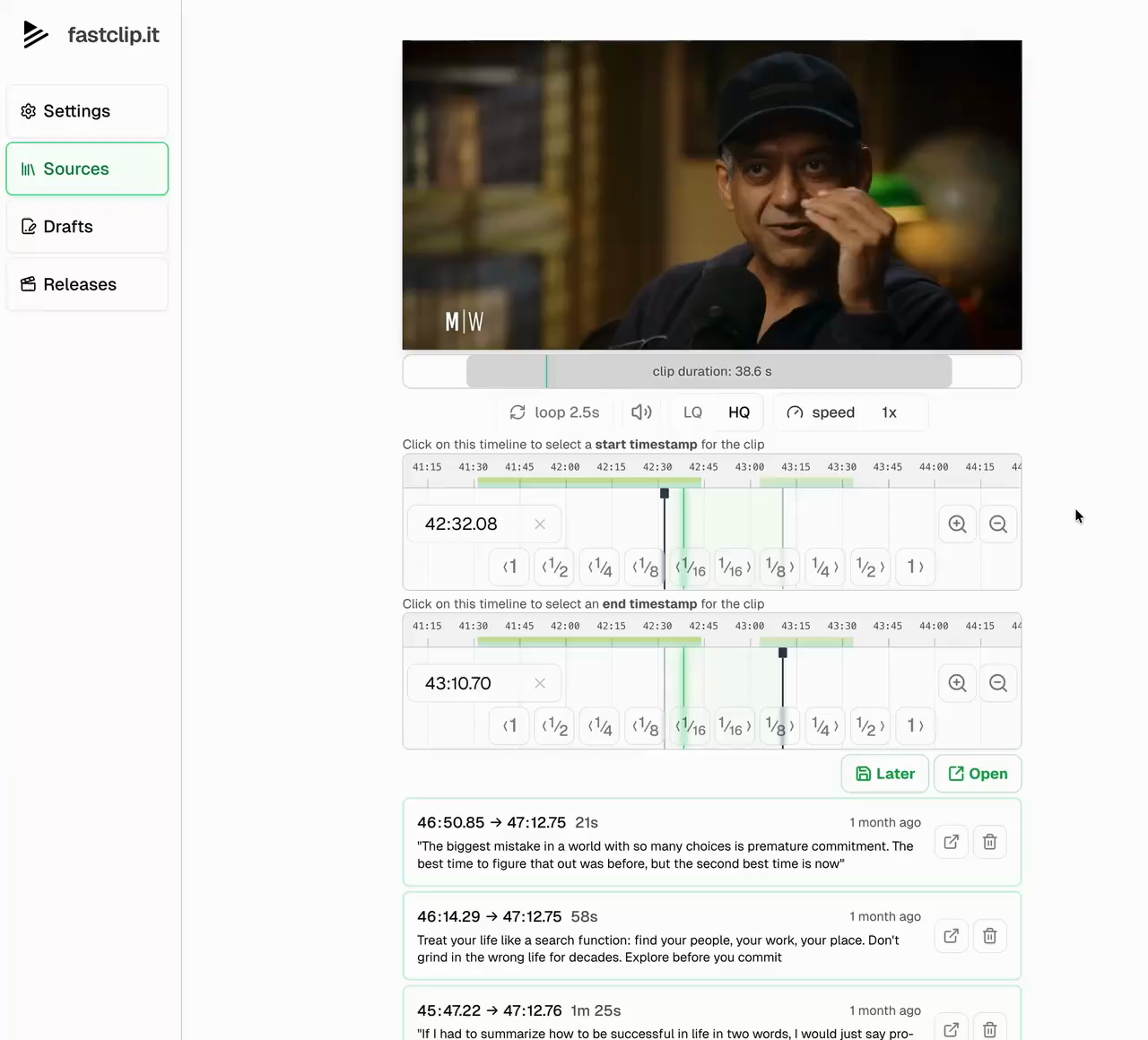
How to make a clip from an X video
1. Copy the video post link
Open the X post that contains the video and copy its link. In FastClip, choose Add source and paste the URL. Links using x.com or twitter.com are supported. Wait for the video to finish importing before editing.
2. Keep the point and its context
Mark the start and end of the passage, or select words in the transcript. For an interview answer, keep enough of the question to explain what the speaker means. Preview both ends so the cut does not drop a qualification or stop halfway through a sentence.
3. Add captions and post text
Review the word-timed captions, especially names and technical terms. Check the framing and make the finished clip. Prepare the post text and source citation with your publishing template so viewers can find the original conversation.
4. Publish, schedule, or download
Connect your X account to publish or schedule the finished clip from FastClip. You can also download the video and upload it yourself. Review the video and post text before publishing; your plan limits apply to direct posts.
Clip from X, or make a clip for X
An X post can be your source, your destination, or both. Import a supported video post to cut a shorter passage. Or start with a YouTube video and publish the finished clip to X. The source does not have to come from the account you publish through.
FastClip edits existing video. A text-only post does not become a narrated video, and a link to an X Space is not the same as a supported video post. Use material you own or have permission to republish. Crediting the source does not replace that permission.
X video clipping questions
Does this work with Twitter links?
Yes. FastClip recognizes video post links on both x.com and twitter.com. Paste the post URL rather than a profile or search-results page.
Can I clip any video on X?
Import depends on the source being available. Protected, deleted, or otherwise restricted posts may fail. Start with an accessible video post that you have permission to reuse. FastClip does not unlock protected content.
Do I need to connect my X account?
Connecting an X publishing account is a separate step from importing a video link. Connect it when you want FastClip to publish or schedule a post for you. You can download a finished clip instead.
Can I make X clips on my phone?
Yes. Use FastClip in your mobile browser, or use the iPhone app through TestFlight. You can import a supported video link without first downloading the full source to your phone.
What is included in the free plan?
The free plan includes 3 X imports, 10 drafts, 5 finished clips, and 1 direct X post in total. Draft and finished-clip allowances are shared across sources, with daily caps of 5 drafts and 2 finished clips.
Can I post the same clip somewhere else?
You can also publish through a connected Instagram account, subject to your plan limits. To use another platform, download the finished video and upload it yourself. Check the framing and source permissions for each use.
Bring the video. Choose the moment.
Start with one X video link and make your first clip. Working through a longer interview? See the podcast clipping workflow.
Start clipping for free